
Search national projects
This article is relevant for
ISOlutions members, specifically for users, that have the required permissions needed to view national projects, including:
- National secretaries (National projects manager)
- National secretary support team
- User administrators of National Standards Bodies (NSB) using ISOlutions
- National experts (with a National committee member role in the national committee maintained in GD)
Project search
Users can view the full list of projects registered under their National Standards Bodies (NSBs). It is also possible to use various filters (e.g. Committee, Stage, Project), to narrow down the list and quickly find the relevant project. Filters available:
- Committee: National committee under which the project is being developed
- Stage: The current stage of the project
- Project: Includes the following attributes of the national project
- Project title
- Project document number
- Project part number
Please note
Users involved in multiple NSBs can also filter the list of projects by a relevant NSB.


Other search capabilities:
You can perform other functions related to sorting and filtering to narrow or broaden your search:
-
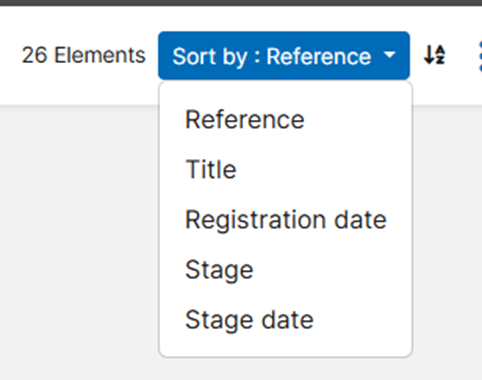
Sort the list of projects:
- by various criteria such as : Reference, Title, Registration date, Stage, or Stage date (default: Reference)
-
Apply sorting in ascending or descending order (default: ascending)
-
Clear filters: empty all search criteria and show all projects

Export project search results
You can export search results (as long as there is at least one result) into a CSV or Excel file.
- Perform a search that includes at least one project in the result list
- From the top right corner of the page, click the more options (3 dots or context) menu
- Click Export filtered project to CSV or Export filtered project to Excel.
- Save the file.
