Access online document of national project
In this article:
This article is relevant to:
ISOlutions OSD national pilot members, specifically for users, that have the required permissions needed to view national projects, including:
- User administrator(s) of the national standards body (NSB)
- National secretary of national committee(s)
- National secretary support team of national committee(s)
- National committee members of national committees
Identify national projects being developed online
- Go to the ISO Home portal
- From the Apps page, click on Projects application, and select National in the working area selector
- If National does not appear in the working area selector, please consult the NSB administering the committee for which you expect to have a role.
- If the Projects application badge does not include a drop-down, you may only have access to the National Projects application, in which case clicking on the badge will navigate directly to the application.

-
All of your member body's national projects will be listed here. All national projects with an online document (in other words, those being developed online) will include a hyperlink labeled "Open in OSD"
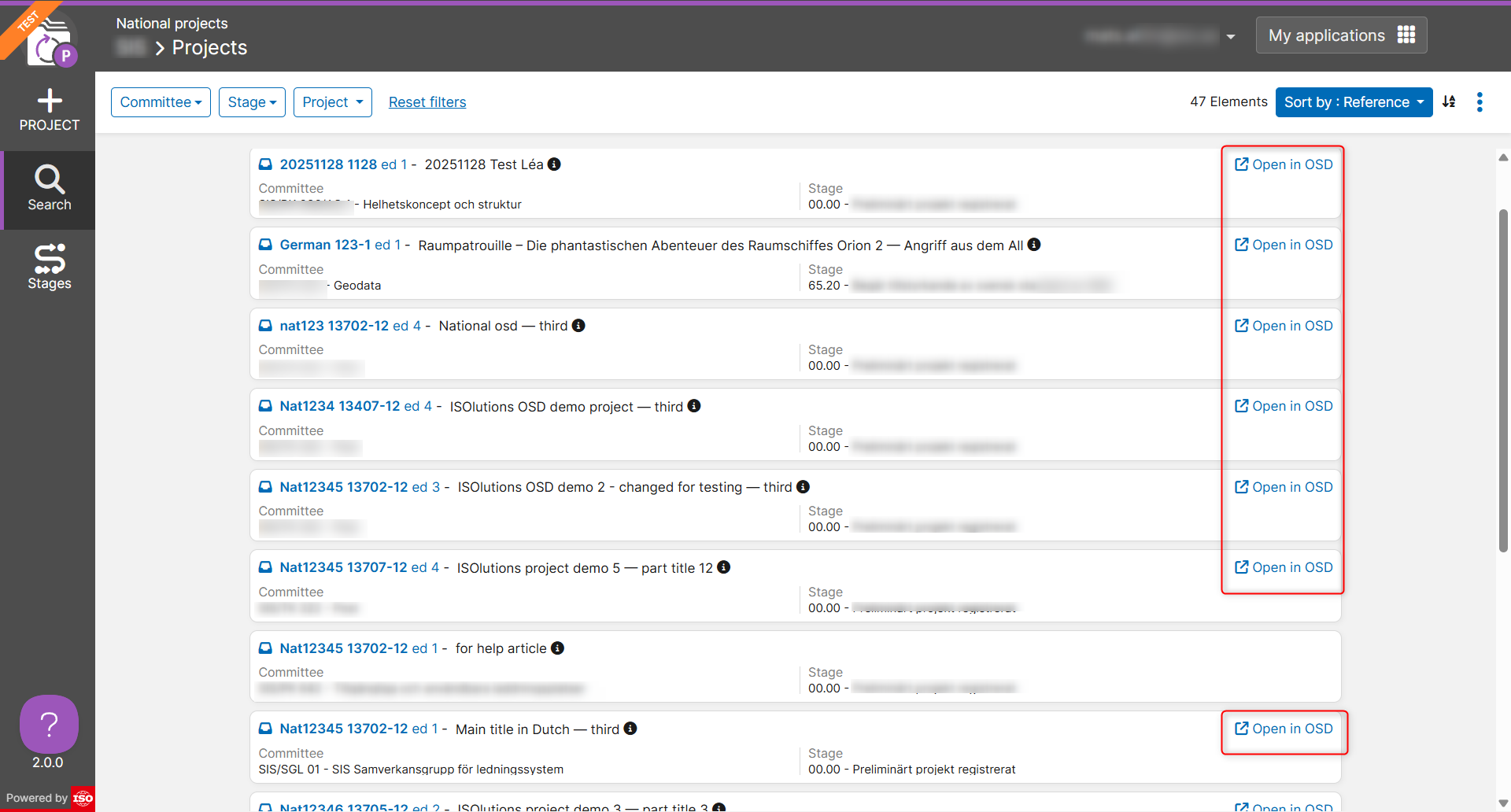
Access online document of national project
-
From the National projects home page, click on the Open in OSD hyperlink next to any particular national project
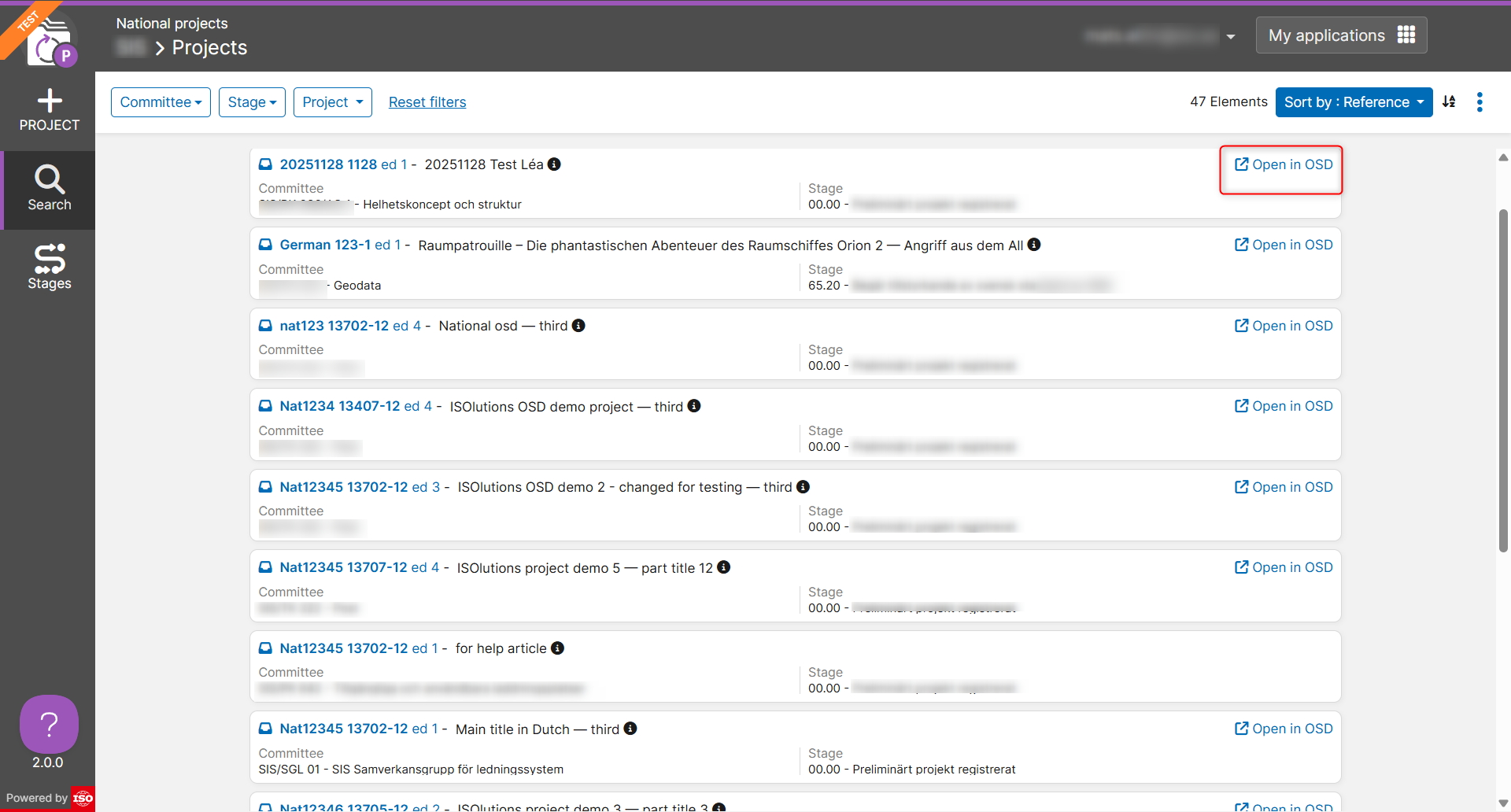
-
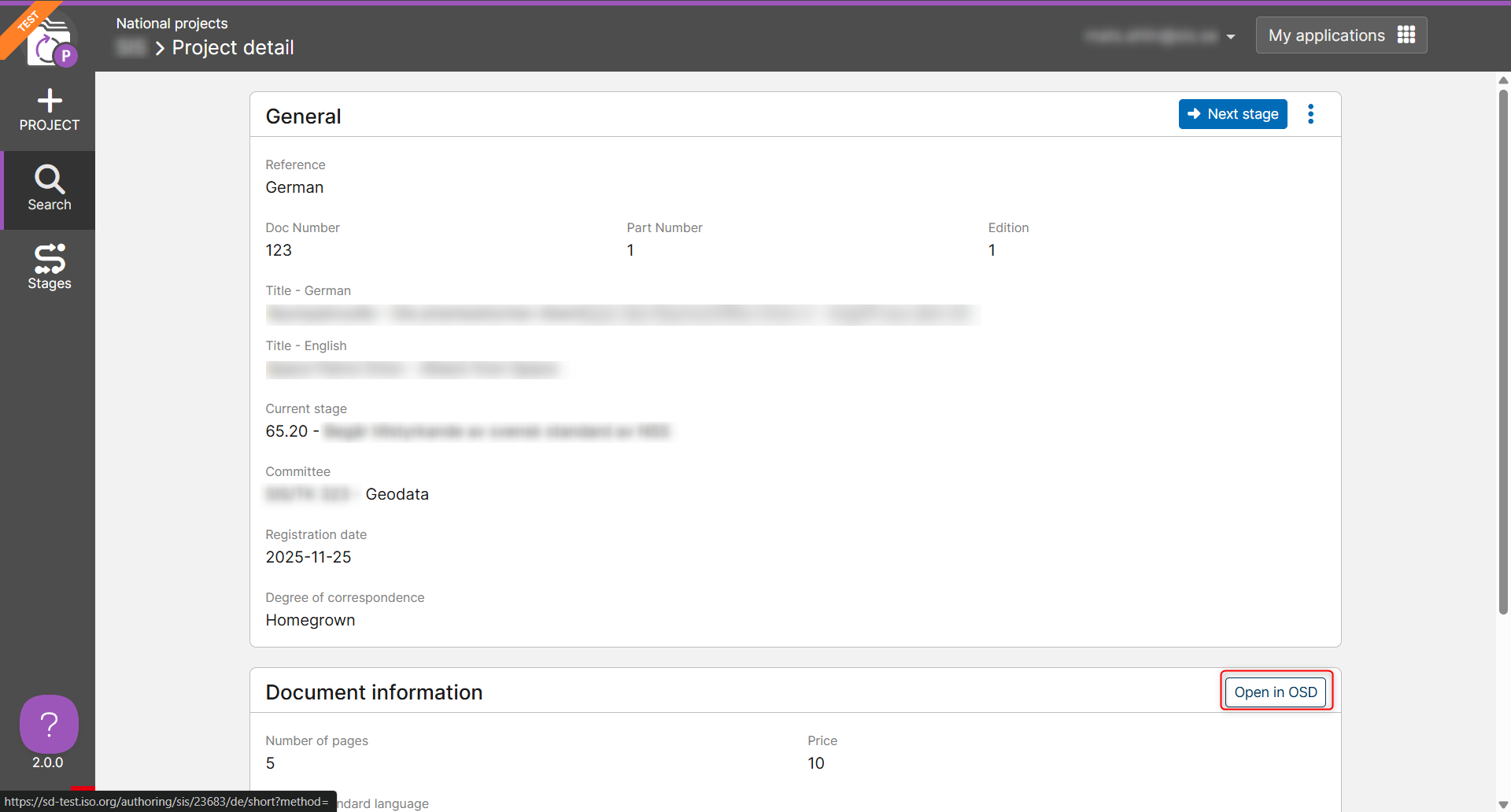
Go to a particular national project, and click on the Open in OSD button