
View archived draft of the online document
In this article...
Automatic versioning of an online project
Visualize archived draft of an online project
Visualize comments in archived draft of online document
This article is relevant for the following OSD Roles:
LEADER, AUTHOR; COMMENTOR, EDITOR, READER
Automatic versioning of an online project
A version of the online project is automatically saved at each stage of the standard development process.
Preliminary stages
| Sub-stages | Version name |
|---|---|
| 00.00 | Version at the start of the PWI stage |
| 00.20 | Version of the PWI under review |
| 00.60 | Version of the PWI after review |
| 00.98 | Version at this cancellation |
| 00.99 | Version for the preparation of the NP stage |
Proposal stages
| Sub-stages | Version name |
|---|---|
| 10.00 | Version for the NP ballot |
| 10.20 | Version of the NP under ballot |
| 10.60 | Version of the NP after ballot |
| 10.92 | Version referred back for redefinition (NP) |
| 10.98 | Version at its cancellation (NP) |
| 10.99 | Version of the approved NP |
Preparatory stages
| Sub-stages | Version name |
|---|---|
| 20.00 | Version at the start of the WD stage |
| 20.20 | Version of the WD under review |
| 20.60 | Version of the WD after review |
| 20.98 | Version at its cancellation (WD) |
| 20.99 | Version for preparation of the CD stage |
Committee stages
| Sub-stages | Version name |
|---|---|
| 30.00 | Version at the start of the CD stage |
| 30.20 | Version of the CD under consultation |
| 30.60 | Version of the CD after consultation |
| 30.92 | Version referred back for redefinition (CD) |
| 30.98 | Version at its cancellation (CD) |
| 30.99 | Version for preparation of the DIS |
Enquiry stages
| Sub-stages | Version name |
|---|---|
| 40.00 | Version submitted for DIS |
| 40.20 | Version of the DIS under ballot |
| 40.60 | Version of the DIS after ballot |
| 40.92 | Version referred back for redefinition (DIS) |
| 40.93 | Version for preparation of a new DIS |
| 40.98 | Version at its cancellation (DIS) |
| 40.99 | Version for preparation of the FDIS/Proof |
Approval stages
| Sub-stages | Version name |
|---|---|
| 50.00 | Version submitted for FDIS/Proof |
| 50.20 | Version of the document for final approval/Proof |
| 50.60 | Version of the FDIS after ballot/Proof |
| 50.92 | Version referred back for redefinition (FDIS) |
| 50.98 | Version at its cancellation (FDIS) |
Publication stages
| Sub-stages | Version name |
|---|---|
| 60.00 | Version at 60.00 |
| 60.00 - during final review task | Version for final review before publication |
| 60.60 | Published document |
| 60.60 - during final review task | Corrected version for final review |
Visualize archived draft of an online project
To access the archived draft of an online project:
-
Go to the Stage card in the Project overview page.


-
From the 'Go to draft' column, click on the View archived draft icon to access the draft at that particular stage.


Please note
- An archived draft is only accessible by the members of the Committee / Working Group developing the standard.
- Clicking on the View current draft icon next to the current stage, will direct the user to the Online document tab to view the current version of the draft.
Visualize comments in the archived draft of an online project
To access the comments relevant to an archived draft:
- Go to the archived draft as described above
-
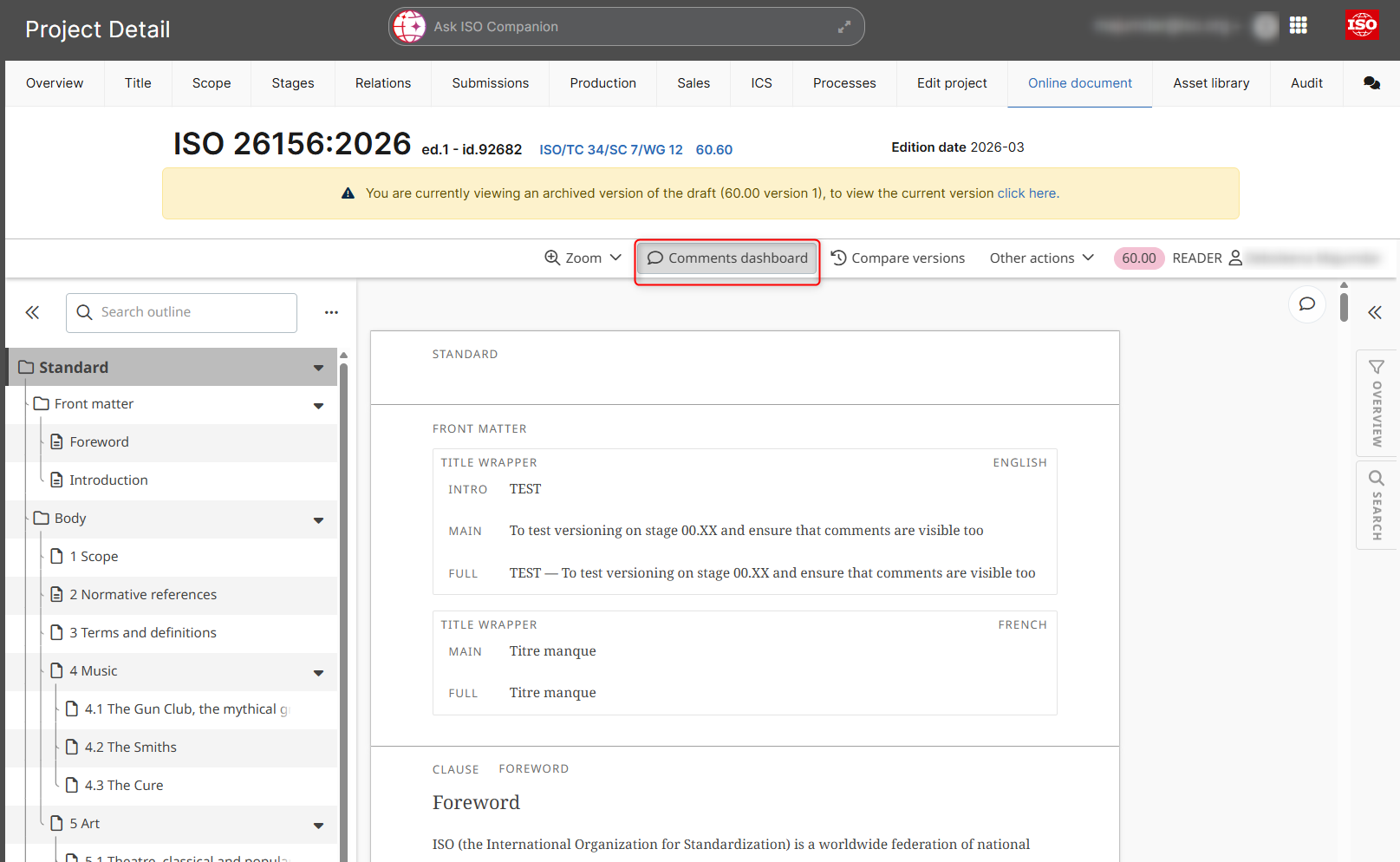
Click on Comments dashboard
-
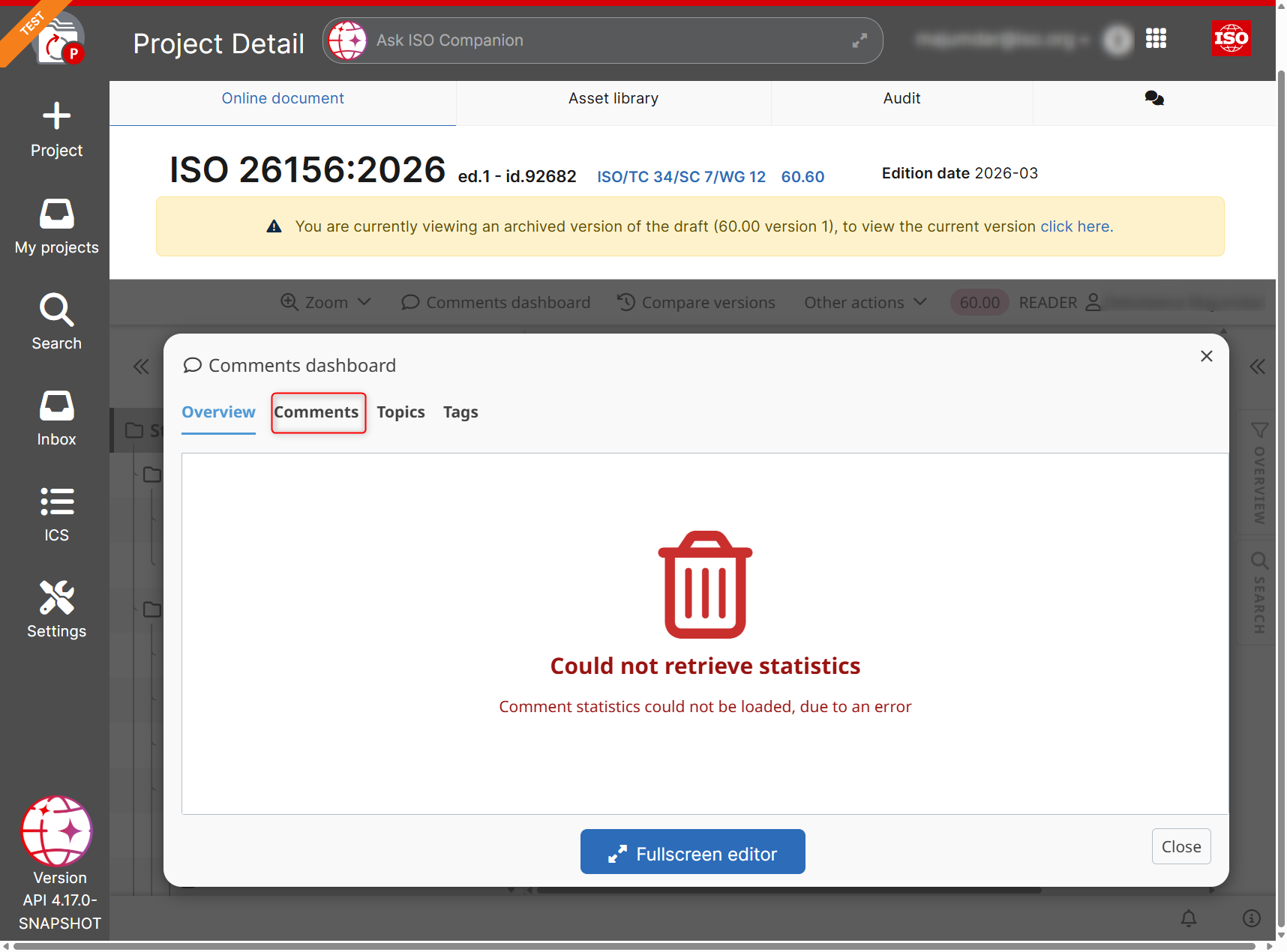
In the Comments dashboard, go to the Comments tab
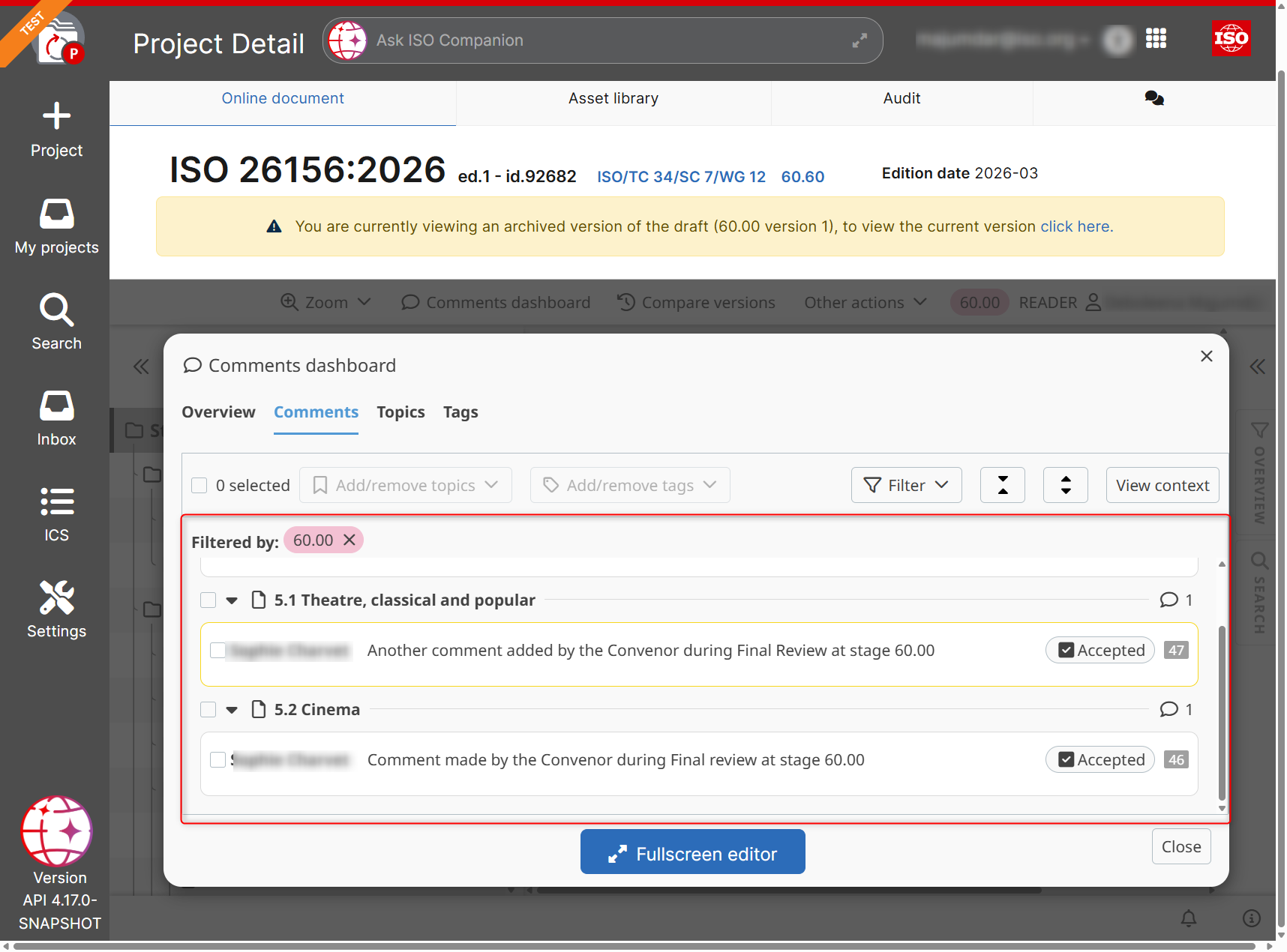
4. In the comments tab, you can view the list of all comments placed in the particular archived version of the online document
Download comments and resolutions associated with archived draft of an online project
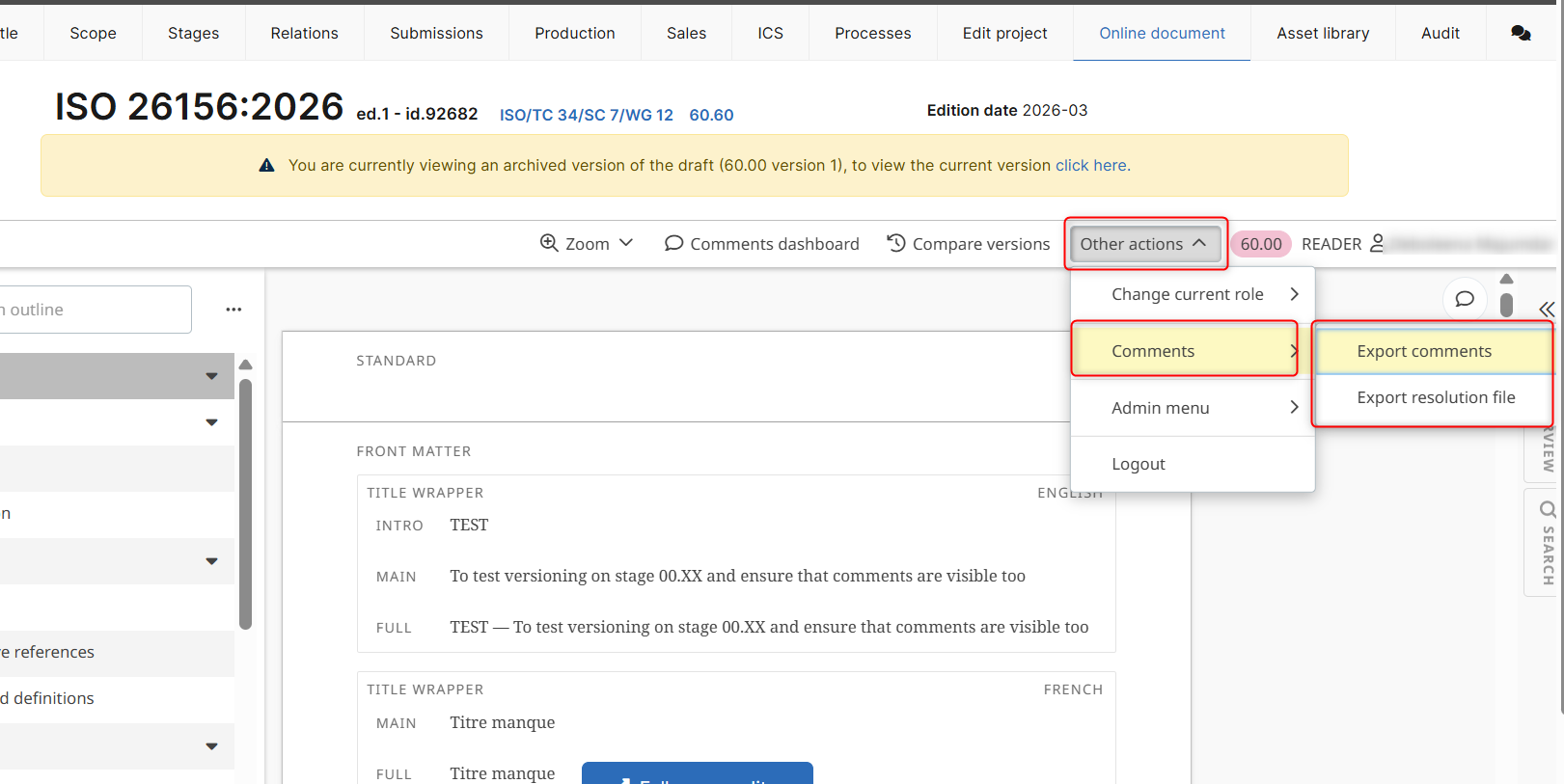
To download all the comments and resolutions related to the archived draft (at the relevant stage):
- Go to Other actions
- Click on the Comments menu
-
Select either Export comments / Export resolutions file
Comparing archived drafts of an online project
Comparing archived drafts of an online project can be done via the Document History feature of OSD.
For more information view the article Compare versions with Document History