
National elements and Mark content as national change in national adoption
In this article:
Adding national elements in a national adoption
Mark content as national change
Remove content marked as national change
This article is relevant to:
- ISOlutions OSD pilot using the national OSD platform to author national adoptions
- Users who have relevant permissions to Mark content in adoptions.
Adding national elements in a national adoption
In a National adoption, you can add national elements such as national notes and national footnotes within the international content.
Please note
Both national notes and national footnotes are automatically marked as national changes.
Add a national note
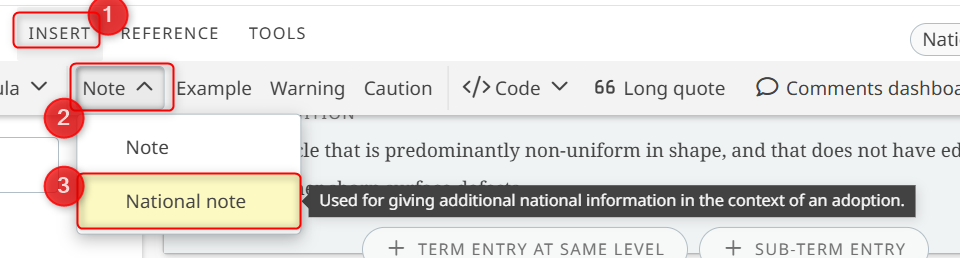
To add a national note:
- Place the cursor where you want to insert the note.
- Go to the INSERT menu.
- Click Note and select National note.
-
Enter the content of the national note.
Add a national footnote
To add a national footnote:
- Place the cursor where you want to add the footnote reference.
- Go to the REFERENCE menu.
- Click Footnote and select National footnote.
- Enter the content of the footnote.

Please note
You do not need to manually mark national notes or national footnotes as national changes. OSD applies this automatically when you select National note or National footnote.
Mark content as a national change
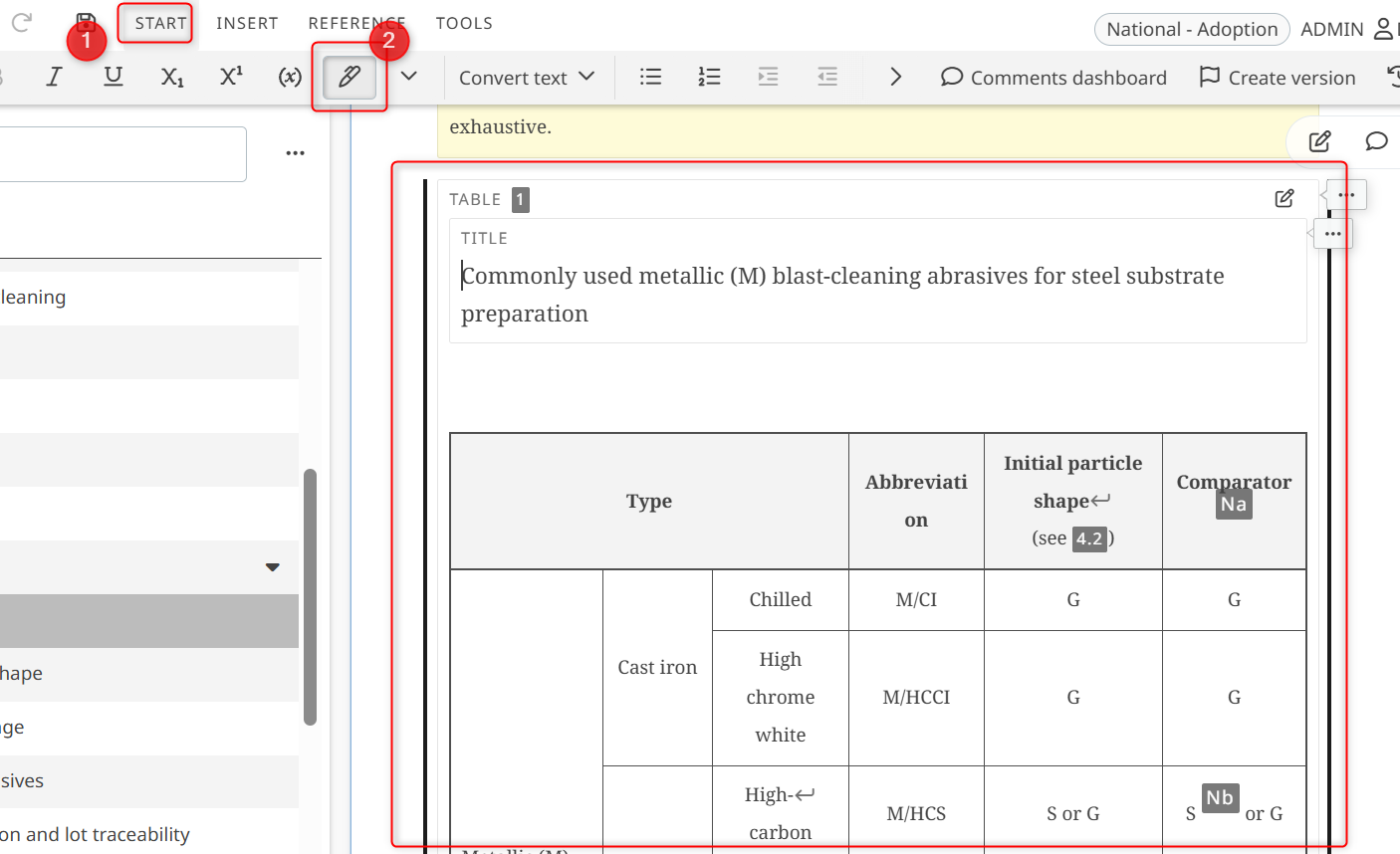
Users whose have the relevant permissions of "Mark content in adoption" enabled via OSD Tools can mark applicable content as a national change. To do so:
- Select the applicable content or element.
- From the Start menu, click on the Pen icon
-
The selected content will now be visually distinct and can be identified as national adoption content.
Remove content marked as national change
- Select the applicable content marked as national content
- From the Start menu, click on the Pen icon again
Review marked national changes
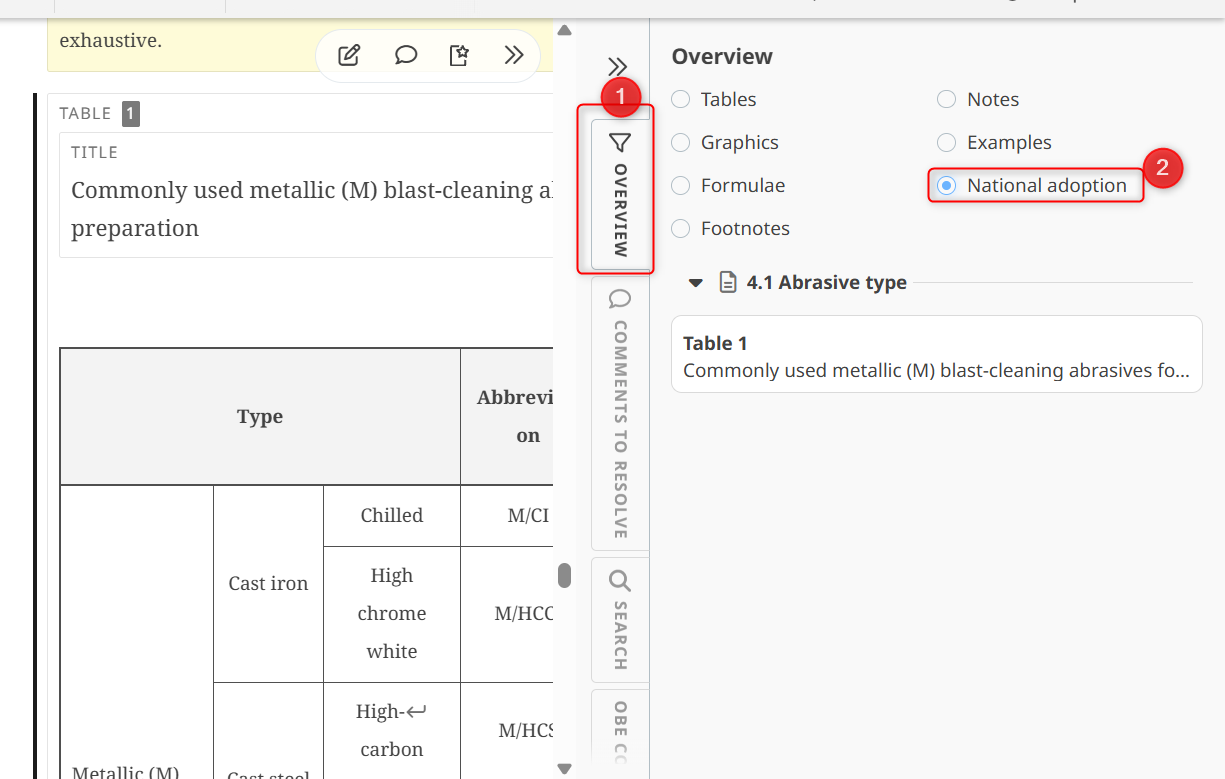
Marked national changes can be reviewed from the OSD overview.
- Go to the Overview tab
-
Select the radio button National adoption to find and navigate to content marked as national changes throughout the document.
Permission requirements
The Mark content in adoption function is controlled in OSD Tools. If the permission is disabled for the user's current role, the marking action is not available.
To read more about this: please see the article: National OSD roles and permissions