
User preferences
In this article
Access
The preferences page is accessible from the Home portal. From the left navigation menu, click on Preferences.

Security Preferences
Warning
Please keep our systems safe. Never share your user name and password with others.
You must be logged in to access the Portal.
Change Password
Your password, as well as some of your personal information, can be updated by clicking on Preferences from the ISO Home portal page (left side menu), then accessing the Security Preferences section.

Two-factor authentication methods
In addition to the password, an authenticator application provides a one-time code from your mobile devices. this added step greatly improves security and helps prevent unauthorized access. For more information view the dedicated article: Setup two-factor authentication
Important note for SIF members
Two‑factor authentication (2FA) is available to the ISO Community on a voluntary basis when logging in using an ISO username and password. If you log-in to ISO-powered applications using a Single Identification Federation (SIF) member credential, ISO two-factor authentication will not be available.
Change applications language
Home > Preferences > General Preferences > Language
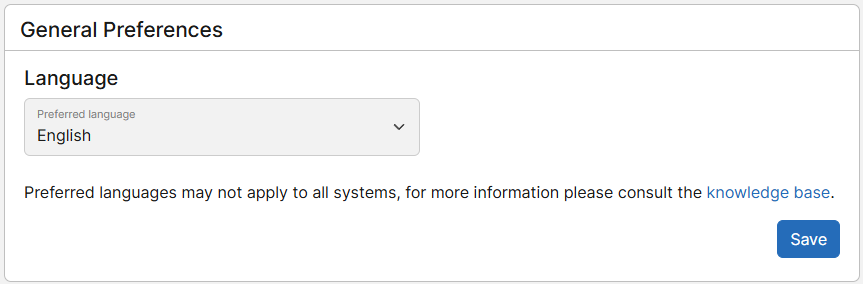
Please note
To change language for the Meetings Platform, please update your language preferences from Meetings in the menu My profile > Preferences.
The Documents platform is available in the following languages:
- English
- French
- Spanish (Courtesy of UNE)
- Dutch (Courtesy of NEN)
- Swedish (Courtesy of SIS)
- Italian (Courtesy of UNI)
- Japanese (Courtesy of JISC)
The National Project Portal is available in the following languages:
- English
- French
- Spanish
The ISO Companion is available in the following languages:
- English
- French
- Spanish
- German
- Finnish
- Italian
- Japanese
- Dutch
- Portuguese
Changing your language applies to the entire platform regardless of ISO, CEN or National committee.
Please note
If you would like to translate one of these services into other languages, please contact us.
Change frequency of documents automatic notifications (Notifications scheduling)
When registered in a national committee, you will be sent a notification with the list of recently published documents within the scope of your national committee or related ISO or CEN mirror committees. The default frequency has been defined by your National Standards Body but this menu allows you to update the frequency at which you receive these emails.
The options are:
- daily
- weekly
- opt out (depending on your National Standards Body)
The time and days are predefined by your National Standards Body and cannot be changed individually.
Please note
As of now this function is available for automatic notifications related to National Committees only.
Warning
If you do not want to be involved in national committees anymore, please contact the Member Body User Administrator (MBUA) of your country. Please refer to this article to identify this person.